

Cash book for apaleo
Your hotel cash desk. Filled automatically from apaleo, kept audit-proof, handed over cleanly to accounting.
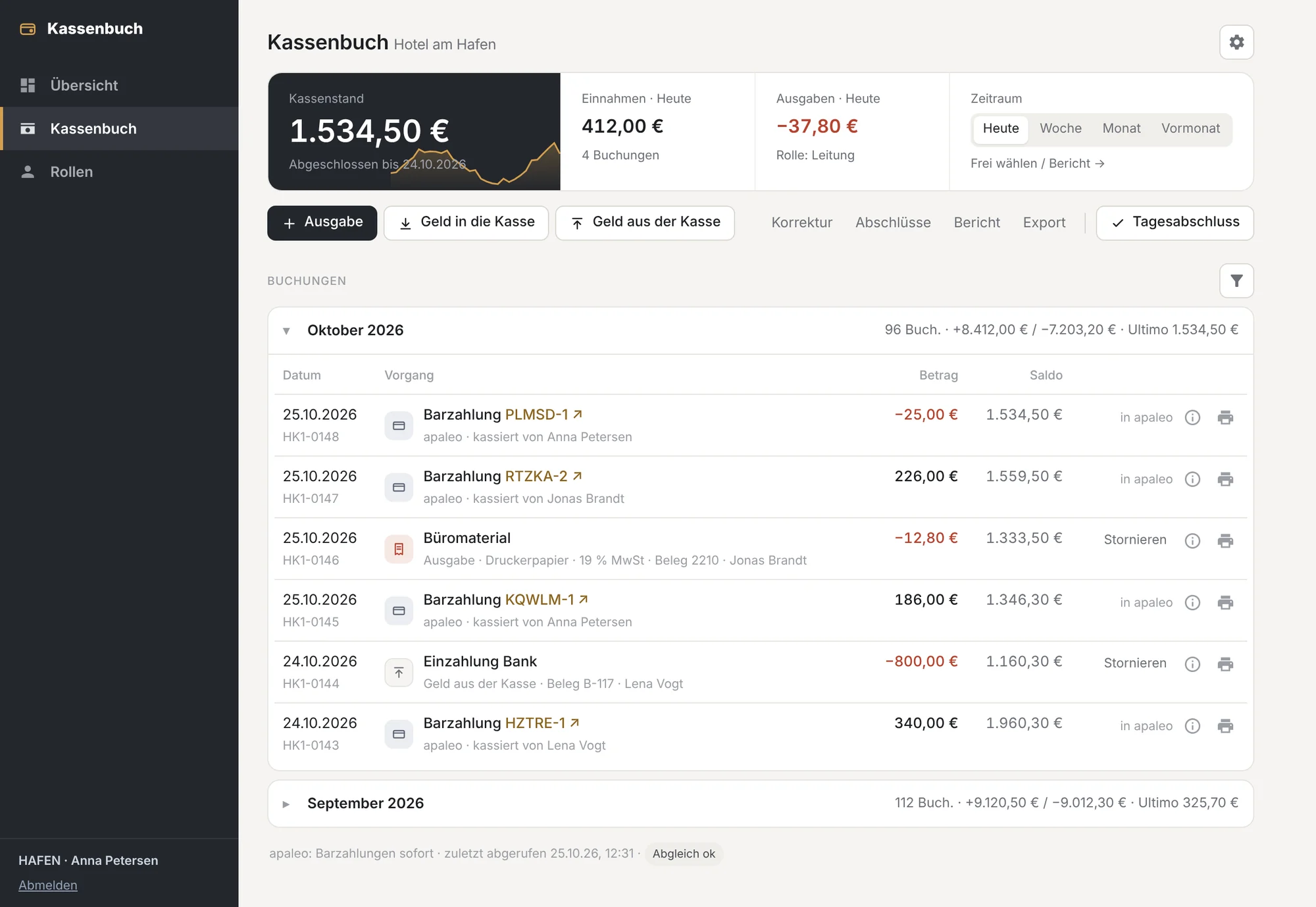
Your hotel cash desk. Filled automatically from apaleo, kept audit-proof, handed over cleanly to accounting.
Every cash payment lands in the cash book, with the name of the person who took it.
Counting by notes and coins, actual versus expected, differences only with a reason.
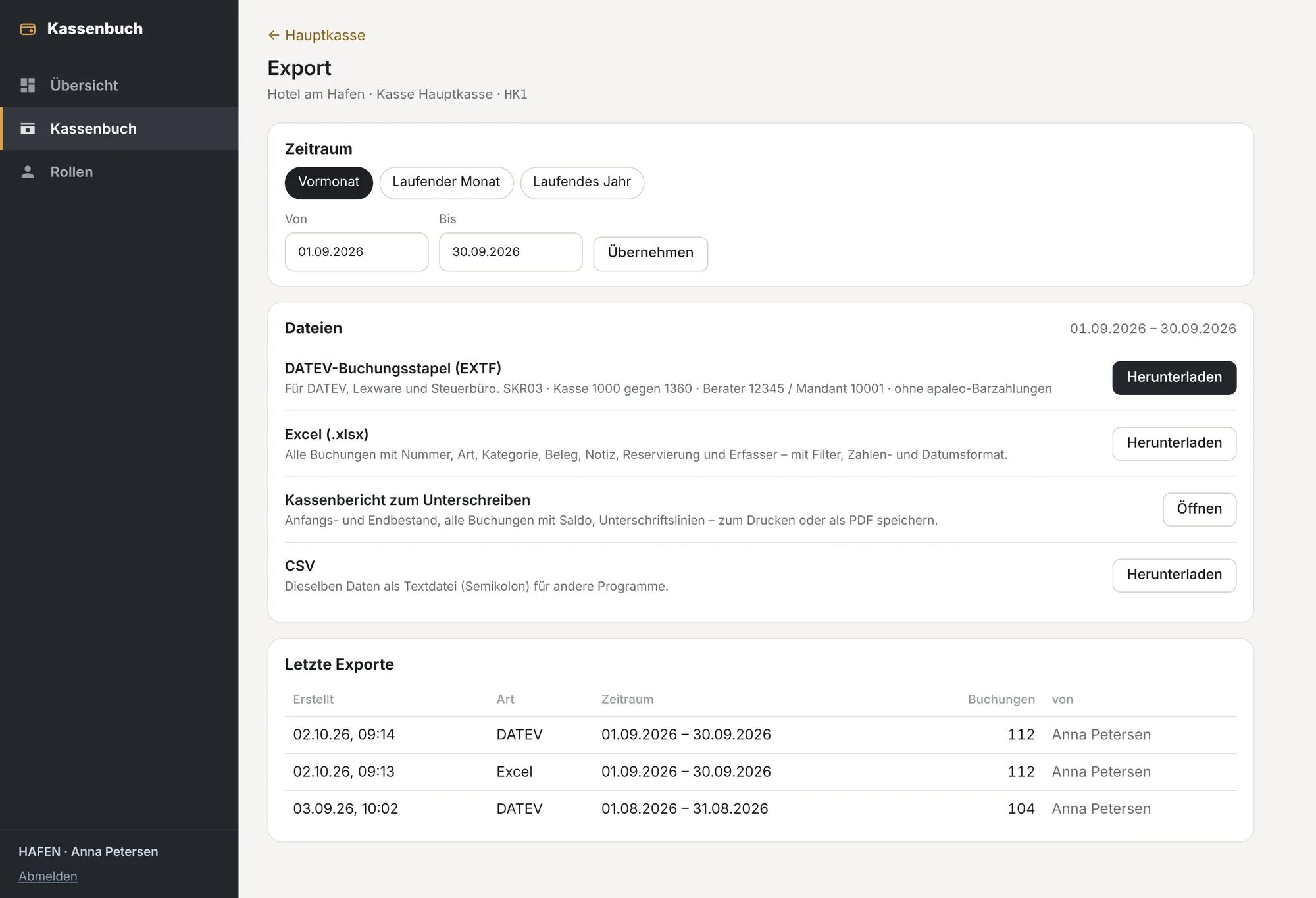
DATEV, Excel and CSV, audit-proof under GoBD.
Every cash payment posted in apaleo appears in the cash book automatically.
Expenses, cash in and cash out are posted directly in the cash book.
Count by notes and coins; actual and expected are compared.
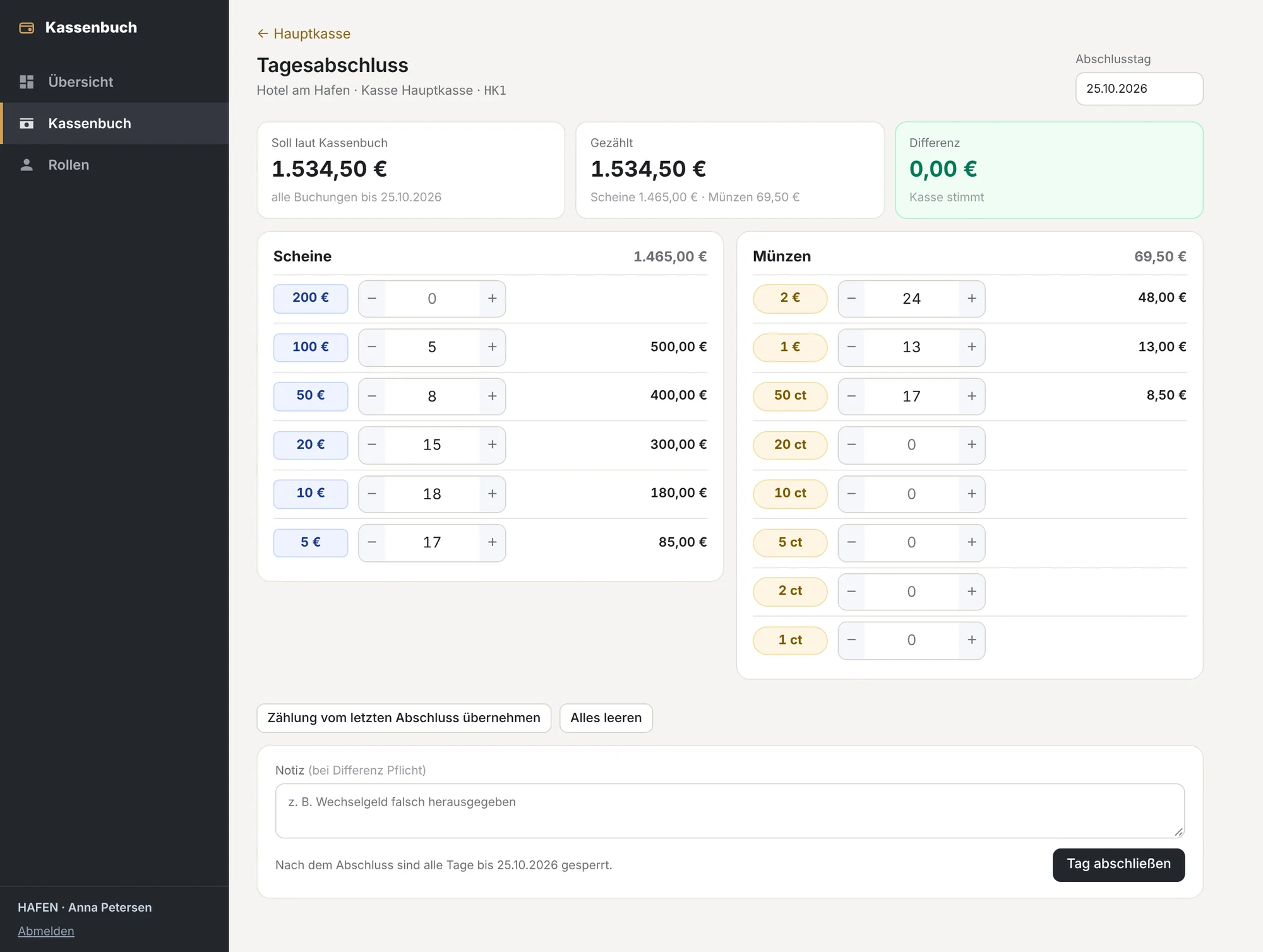
Entries are numbered sequentially and cannot be changed.
DATEV batch, Excel, CSV and cash report for any period.
Users and permissions come straight from apaleo.
Posts, counts and closes when the cash adds up.
Closes differences with a reason. Account and property admins in apaleo are management automatically.
No access to the cash book. Plus individual permissions per person.
With a preview of the latest cash payments from apaleo.
An administrator grants read access. The cash book shows the latest cash payments right away.
Choose country, chart of accounts and cash account. Optionally import cash payments from up to 60 days back.
Country-specific VAT rates, charts of accounts and retention notes.
No. Payments are still taken in apaleo. The cash book keeps track of the cash on hand and imports the cash payments from apaleo for that. Manual income is not possible by design.
An apaleo account and an administrator who approves the connection. The cash book only needs read access.
Yes. Each property in the apaleo account gets its own cash book. Who sees which property comes straight from apaleo.
No. If apaleo already exports to DATEV, the apaleo cash payments can be left out of the export.
On servers in Germany. Every user can export their data under the GDPR.
Tell us how many properties and cash desks you have, and we will send you a quote.